

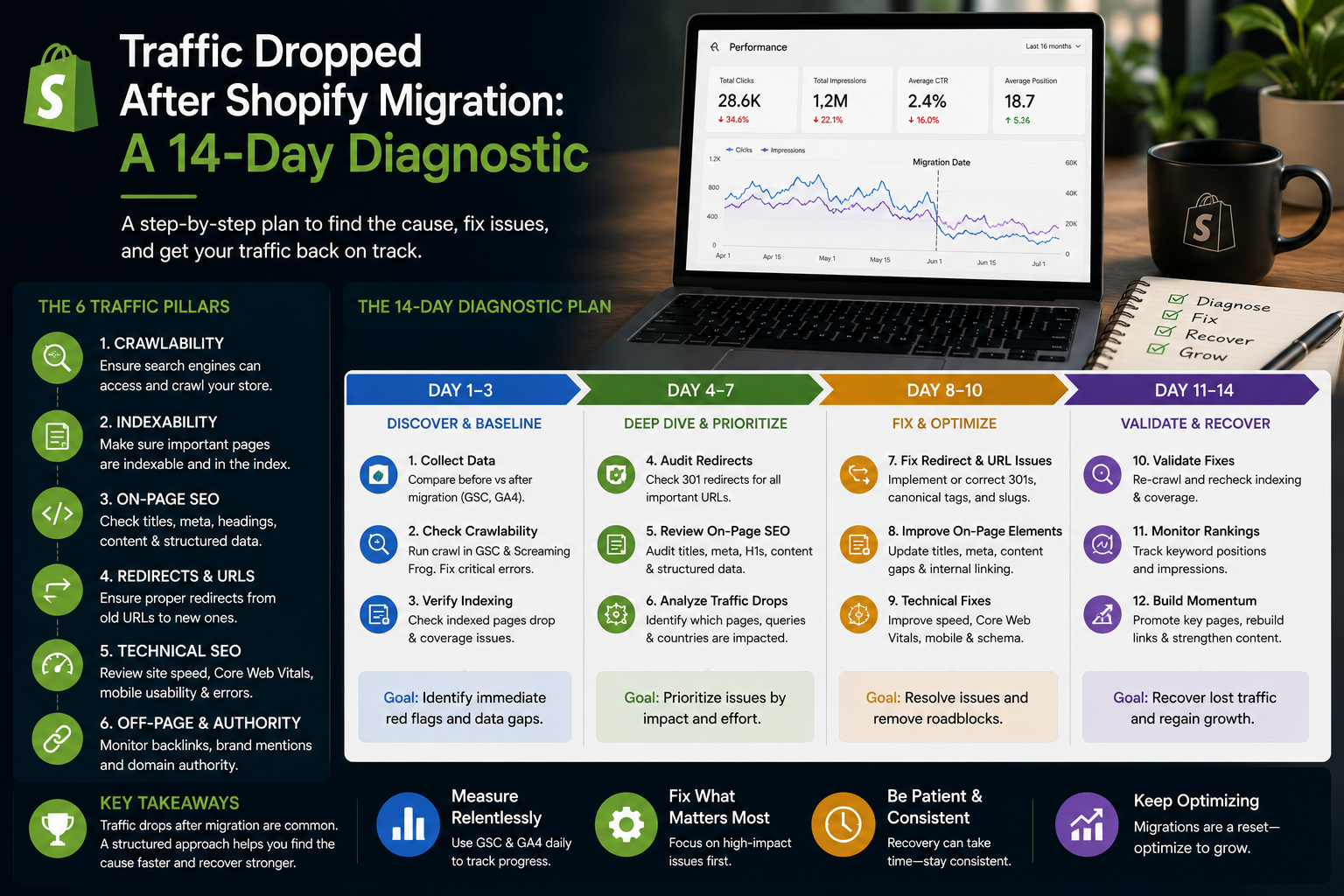
Two weeks after cutover somebody opens Analytics and organic sessions are down by a third. The room divides immediately into the people who say this is normal and the people who say something is broken, and both are arguing from the same chart.
The chart cannot settle it. A normal re-crawl and a broken redirect map look identical for about the first four days, and then they diverge sharply. What follows is the order we work through it, which is designed to find the expensive problems first.
Before anything: is it traffic, or is it measurement
Start here, because roughly one post-migration panic in five is a tracking problem and everything downstream is wasted work.
Check that GA4 is firing on every template, not just the homepage. A migration that reinstalls the tag through a theme rather than through the previous container commonly loses it on one template — collection pages, or the blog, or checkout. Compare sessions against a source that does not depend on your tag: Search Console impressions and clicks, and your Shopify order count.
If Search Console clicks are flat and Analytics is down, you have a measurement problem and no traffic problem. Fix the tag and stop.
Days 1–2: the redirect map, tested rather than trusted
The single most common cause of real loss is a redirect map that was written but not verified against the live site.
Take your list of old URLs — from Search Console, the old sitemap, and server logs, because each finds pages the others miss — and request every one against the live domain. You want three columns: old URL, final status, final URL.
Then look for four failure shapes:
- 404s. Pages nobody mapped. Usually old blog posts, old landing pages, and category URLs from a structure that changed two redesigns ago.
- Redirects to the homepage. Bulk-mapped "everything else" rules. Google treats these as soft 404s and passes nothing, so they are functionally the same as a 404 while looking fine in a browser.
- Chains. Old URL to interim URL to final URL. Each hop loses a little and slows the crawl; chains of three or more are worth flattening.
- Redirects to a page that then 404s or redirects again. The map is right and the destination was renamed after the map was written.
Fix the 404s first, highest-traffic first. This is the only step in the whole list that reliably returns traffic within days rather than weeks.
Days 2–3: is anything telling Google to stay away
Second most common, and much faster to check than to find by accident.
Fetch the live robots.txt and read it, rather than assuming what it contains. Then crawl the store and list every URL returning a noindex. Staging directives that survive cutover are a classic: the store was password-protected during the build, somebody added a blanket noindex to be safe, and it shipped.
Check canonicals on product, collection and blog templates. Three failure modes to look for: a canonical pointing at the old domain, a canonical pointing at a URL that then redirects, and a canonical pointing at the wrong trailing-slash convention. Google will not honour a canonical that redirects, and an inconsistent one splits signals between two versions of the same page.
Days 3–5: segment the loss before theorising about it
Now stop looking at the total. A single number cannot tell you what happened; the distribution can.
In Search Console, compare the four weeks before cutover with the period since, and break clicks down by page type — products, collections, blog, homepage. Then by query type: branded versus non-branded.
The pattern names the cause:
- One template collapsed, the rest are fine. A technical fault specific to that template — usually structured data, canonicals, or content that did not migrate. Go and read one of those pages in full.
- Collections down, products flat. Category descriptions were lost in the catalogue export, or the URL structure changed and internal linking has not caught up.
- Branded queries flat, non-branded down. A genuine ranking loss rather than a demand problem.
- Everything down evenly, including branded. Look again at measurement, or at something site-wide like a robots directive.
- Impressions flat, clicks down. You did not lose rankings. You lost snippets — titles rewritten to a theme default, meta descriptions blank, or rich results gone.
That last one is worth dwelling on, because it is invisible if you only watch sessions and it is usually the cheapest to fix.
Days 5–7: read the pages that lost the most
Take the ten URLs with the largest click loss and open each one. Not the template — the actual page.
Check the things exports quietly drop: the title tag, the meta description, the H1, the body copy, collection descriptions, image alt text, and any internal links that were hand-placed inside descriptions and now point at old URLs. On a surprising number of migrations the page is simply thinner than it was, because a description field did not map and nobody looked at a rendered page afterwards.
Compare against the old version. If you did not archive the old store, the Wayback Machine usually has enough.
Days 7–10: crawl and indexation
Open the Search Console Pages report and look at what has moved between states. "Crawled — currently not indexed" rising is normal for a fortnight after a migration and is a problem if it is still rising after a month. "Discovered — currently not indexed" rising means Google knows the URLs exist and is not prioritising them, which usually points at internal linking or site speed.
Confirm the new sitemap is submitted, returns 200, and lists live canonical URLs rather than redirects. If you changed domain, confirm the change of address tool was used — it is easy to assume somebody did it.
Check crawl stats. A large migration should produce a visible spike in crawl requests. If crawl volume never rose, Google has not really started, and the clock on recovery has not started either.
Days 10–14: speed, and only then content
By now the structural causes are either fixed or ruled out. Measure Core Web Vitals on a real mobile device rather than a desktop lab run, because a migration is when a store either gets faster or silently picks up several new apps' worth of blocking script. Speed rarely causes a sharp drop on its own, but it caps the recovery — see our note on Shopify speed for what is usually worth removing.
Only now consider content. Rewriting pages in week one is the classic mistake: it burns the time you needed for diagnosis, and it changes the pages you were using as evidence.
What a normal recovery looks like
A clean migration dips for one to three weeks and recovers progressively, highest-traffic pages first, as they are re-crawled. A large catalogue takes longer simply because there is more to re-crawl.
What is not normal: a drop that is still deepening after three weeks, a single template that never recovers, or impressions that hold while clicks stay down. Each of those has a cause with an address, and none of them fix themselves with patience.
The one thing to do before your next migration
Save a baseline. Export Search Console performance by page and by query for the four weeks before cutover, and keep a full crawl of the old site — URLs, titles, descriptions, H1s, word counts.
Without it, every conversation after launch is opinion. With it, the diagnosis above takes a morning instead of a fortnight. It is the cheapest insurance in the whole project and it is the step most often skipped.
If you are in the middle of this now and the chart is still falling, send us the domain — the redirect and indexation checks above are the first thing we run, and they usually explain most of the loss. If you have not moved yet, our migration guide covers the pre-launch gates that stop this happening at all.