

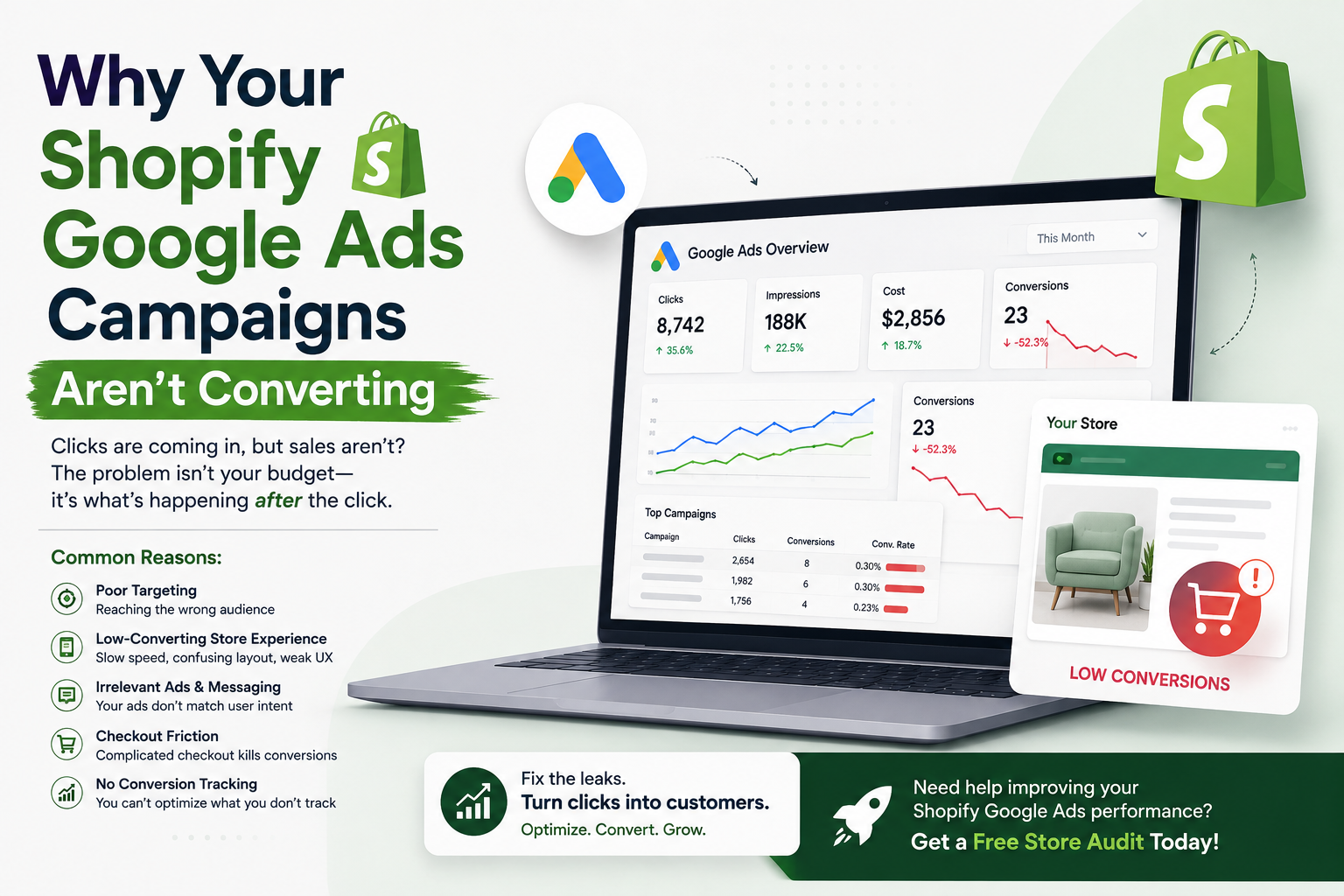
Google Ads can bring highly relevant shoppers to your Shopify store, but clicks alone don't pay the bills. If people are clicking your ads and leaving without buying, it's time to look beyond the campaign dashboard.
Here are the most common reasons Shopify Google Ads campaigns fail to convert—and what you can do about them.
1. You're Tracking the Wrong Conversions
Before changing your keywords, ads, or budget, check your conversion tracking.
If Google Ads isn't accurately recording purchases, the platform has incomplete information about what is actually working. That can make campaign optimization much harder.
Google recommends using conversion measurement to understand which ads, keywords, and campaigns are driving valuable actions. For Shopify, Google's current guidance recommends using the Google & YouTube app for conversion measurement and checking that tags are firing correctly without duplicate tracking.
For an ecommerce store, your main conversion should generally be the action that matters most to the business—usually a completed purchase.
Also check:
- Purchase tracking
- Add-to-cart events
- Checkout events
- Google tag implementation
- Enhanced conversions
- Duplicate conversion events
- Primary conversion settings
- Google Ads and Shopify data consistency
A campaign can't optimize properly if its measurement is broken.
2. Your Ads Are Bringing the Wrong Traffic
High click-through rate doesn't automatically mean high-quality traffic.
You could have an attractive ad that gets plenty of clicks but attracts people who aren't ready to buy.
For example, someone searching:
"best running shoes"
could have very different intent from someone searching:
"buy men's running shoes size 10 online."
Both searches are relevant to running shoes, but the second person is much closer to making a purchase.
Look at the search terms triggering your ads.
If you're seeing searches that are:
- Too broad
- Informational
- Unrelated to your products
- Looking for free products
- Looking for jobs or reviews
- Outside your target market
- Focused on a different product type
your budget may be going toward visitors who were never likely to purchase.
Use negative keywords and tighter targeting to reduce wasted clicks.
3. Your Landing Page Doesn't Match the Ad
Imagine someone clicks an ad for:
"Organic Cotton T-Shirts – From ₹999"
but lands on your homepage.
They now have to find the product themselves.
That's unnecessary friction.
A better experience is:
Ad → Relevant collection/product page → Product information → Add to cart → Checkout
The landing page should closely match what the shopper expected when they clicked the ad.
If your ad promotes a particular product, send visitors to that product.
If it promotes a collection, send them to that collection.
The closer the match, the easier it is for customers to continue their buying journey.
4. Your Product Page Isn't Persuasive Enough
Google Ads can't fix a product page that doesn't convince people to buy.
Your product page needs to answer the questions a customer is likely to have before purchasing.
For example:
- What makes this product different?
- What problem does it solve?
- What does it cost?
- Is shipping available to my location?
- When will it arrive?
- Can I return it?
- What size should I choose?
- What are the materials or ingredients?
- Are other customers happy with it?
Your product page should make the buying decision easier—not harder.
A simple product-page test
Ask someone unfamiliar with your business to look at the page for 30 seconds.
Then ask:
"What are you buying, how much does it cost, and why would you buy it?"
If they can't answer quickly, your page probably needs work.
5. Your Offer Isn't Competitive
Sometimes the ads are fine.
The targeting is fine.
The website works.
But the offer simply isn't compelling enough.
Customers compare products before purchasing. They may be looking at several stores at the same time.
Your offer needs to communicate value.
That could come from:
- Competitive pricing
- Free shipping
- First-order discounts
- Bundles
- Limited-time offers
- Better product guarantees
- Easy returns
- Free samples
- Stronger product benefits
This doesn't mean you should constantly discount.
Instead, give customers a clear reason to choose your store.
6. Your Shopify Store Is Too Slow
A shopper clicks your ad and waits.
Then waits some more.
Then leaves.
You just paid for that click.
Page speed matters because paid traffic is expensive. You don't want to spend money bringing customers to a store that makes them wait.
Check:
- Mobile loading speed
- Image sizes
- Unused apps
- Heavy scripts
- Pop-ups
- Third-party tracking
- Theme performance
- Core Web Vitals
This is especially important because many ecommerce shoppers arrive through mobile devices.
A faster store can improve the experience before the customer even sees your product.
7. Your Mobile Experience Is Poor
Your desktop store may look perfect.
Your mobile store might tell a different story.
Open your Shopify store on your phone and actually shop like a customer.
Can you:
- Find the product quickly?
- Read the description?
- Select variants?
- Add to cart easily?
- See shipping information?
- Complete checkout without frustration?
Don't just inspect the homepage.
Go through the entire purchase journey.
Paid traffic exposes problems quickly because you're actively paying to bring people into that journey.
8. Your Keywords Don't Match Buying Intent
Not every keyword deserves the same budget.
Consider these searches:
Informational:
"how to clean leather shoes"
Commercial:
"best leather shoes for men"
Transactional:
"buy leather shoes online"
They represent different stages of the buying journey.
For ecommerce campaigns, understand which keywords are likely to generate customers rather than simply traffic.
That doesn't mean informational keywords are useless. They can be valuable for SEO and content marketing.
But you shouldn't necessarily treat every search term as if it has the same purchase intent.
9. Your Ad Copy Doesn't Give People a Reason to Click
Generic ads are easy to ignore.
Compare:
"Shop Women's Shoes Online"
with something more specific:
"Women's Running Shoes | Lightweight Designs | Free Shipping Over ₹999"
The second ad gives the shopper more information.
Your ad copy should communicate:
- What you're selling
- Who it's for
- A useful benefit
- A differentiator
- A relevant offer when applicable
Don't make claims you can't support. The goal isn't to make the ad louder—it's to make it more relevant.
10. You're Changing Campaigns Too Often
One common mistake is constantly changing campaigns because results aren't immediate.
You change:
- Keywords
- Bids
- Ads
- Audiences
- Budgets
- Landing pages
Then you don't have enough consistent data to understand what actually improved performance.
Instead, make changes based on evidence.
Ask:
Where exactly is the funnel breaking?
For example:
Impressions → Clicks → Product views → Add to cart → Checkout → Purchase
If impressions are strong but clicks are weak, investigate the ads and targeting.
If clicks are strong but add-to-cart rates are poor, investigate the landing page, product, pricing, or offer.
If carts are high but purchases are low, investigate checkout, shipping costs, payment options, trust signals, and friction.
This is much more useful than simply saying:
"Google Ads isn't working."
11. Your Budget Is Too Small for Your Goals
A small budget isn't necessarily a problem.
But your expectations need to match the economics.
Suppose your average order value is ₹2,000 and your gross margin is limited. You can't assume every click can be acquired at a high cost and still produce a profitable business.
Work backward from your numbers:
Average Order Value → Gross Margin → Maximum Customer Acquisition Cost → Target CPA → Required conversion rate
This gives you a more realistic advertising target.
The goal isn't simply to get the cheapest clicks.
It's to acquire customers at a cost your business can sustain.
12. Your Google Ads and Shopify Strategy Are Working Separately
This is one of the biggest problems ecommerce brands face.
The ads team focuses on:
CTR, CPC and ROAS
The SEO team focuses on:
keywords and rankings
The development team focuses on:
website changes
And nobody looks at the complete customer journey.
A Google Ads campaign can have excellent metrics and still struggle to generate profitable sales if the website experience isn't aligned with the campaign.
For Shopify stores, advertising, landing pages, CRO, analytics, product merchandising, and technical performance should work together.
A Simple Shopify Google Ads Conversion Audit
Before increasing your budget, review these areas:
Campaign
- Are your keywords relevant?
- Are search terms showing strong buying intent?
- Are negative keywords being used?
- Are ads aligned with the products being promoted?
- Are campaigns targeting the right locations and customers?
Landing Page
- Does the landing page match the ad?
- Is the product immediately clear?
- Is the offer visible?
- Are trust signals easy to find?
- Is the page mobile-friendly?
Product Page
- Is the value proposition clear?
- Are product images strong?
- Are reviews visible?
- Are shipping and returns explained?
- Are product details complete?
Checkout
- Are there unexpected costs?
- Are preferred payment methods available?
- Is checkout easy on mobile?
- Are there unnecessary steps?
- Are customers given enough reassurance?
Tracking
- Is purchase tracking working?
- Are conversions being attributed correctly?
- Are duplicate tags firing?
- Is the correct conversion action marked as primary?
Google specifically advises Shopify merchants to verify tag implementation and avoid duplicate conversion tracking.
Don't Increase Ad Spend Until You Find the Leak
When Google Ads isn't converting, the natural reaction is often:
"Let's increase the budget."
That isn't always the answer.
If your store converts poorly, spending more simply sends more people into the same broken funnel.
Instead, identify the biggest bottleneck.
Maybe your:
- Keywords are too broad
- Product pages are weak
- Store is slow
- Mobile UX is poor
- Offer isn't competitive
- Checkout has too much friction
- Conversion tracking is inaccurate
Fix that first.
Then scale what works.
Final Takeaway
If your Shopify Google Ads campaigns are getting clicks but not sales, don't immediately blame Google Ads. The real problem could be targeting, tracking, landing pages, product pages, pricing, store speed, mobile UX, or checkout friction.
The best-performing Shopify advertising strategy connects Google Ads + analytics + SEO + CRO + store performance rather than treating each channel separately.
If you're unsure where your store is losing potential customers, start with a complete store review before increasing your advertising budget.
Want to Find What's Holding Your Shopify Store Back?
Thriftizer Solutions can help identify issues across your Shopify store, SEO, paid media, conversion experience, and overall growth strategy.
You can explore the SEO & Content solutions or request a Free Store Audit to uncover potential areas for improvement.