

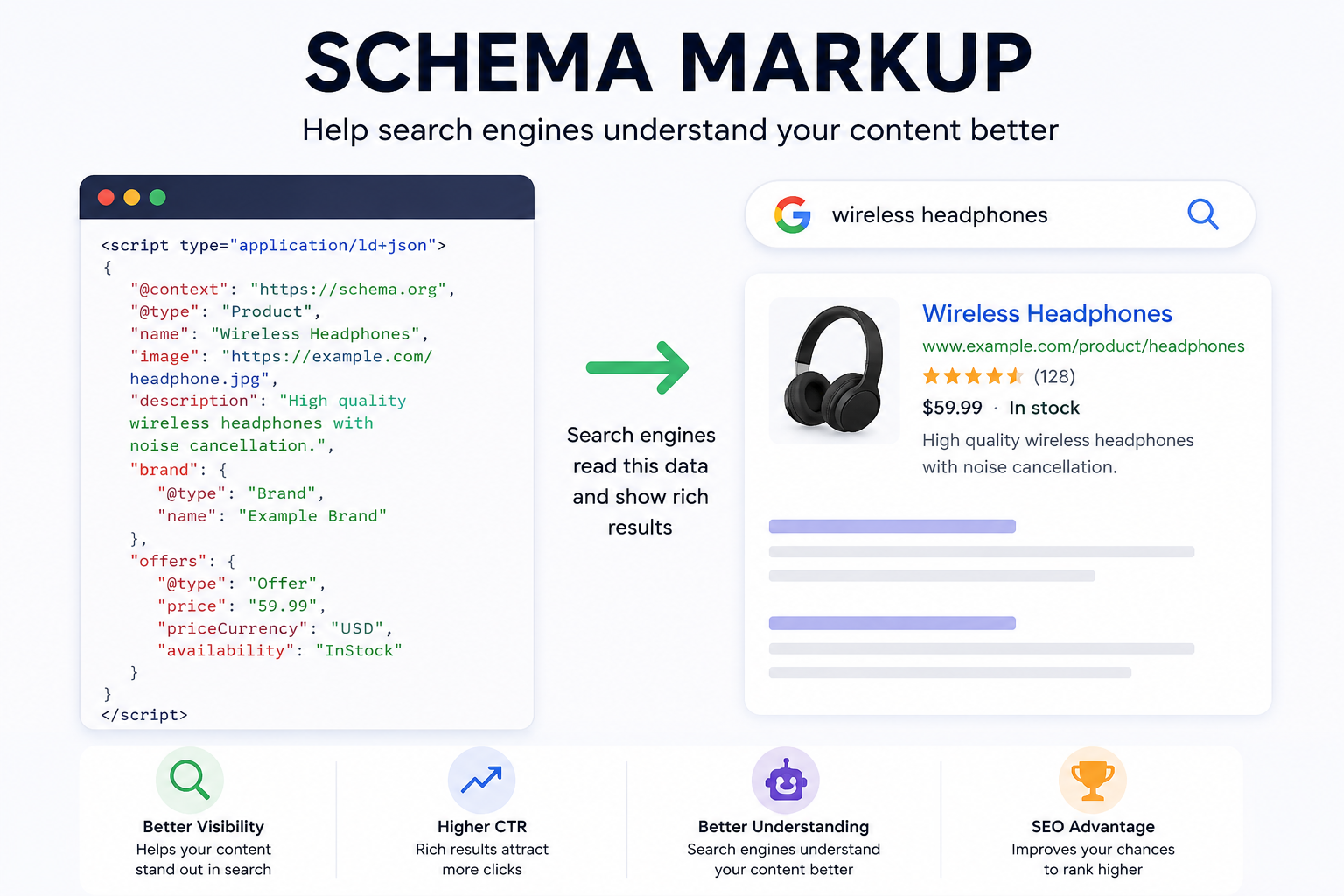
Schema markup does not raise rankings. It changes what your listing looks like once you already rank, and it decides whether Google can put your products into surfaces like the Shopping tab and free merchant listings at all. That distinction matters, because most of the SEO advice about schema is sold on the first claim and delivers the second. On a Shopify store, correct Product and BreadcrumbList markup buys you a price, an availability line, a star rating and a category trail in the SERP. It buys you nothing on position.
So does schema markup actually help SEO? Yes, in a narrow, measurable way that is worth two days of developer time and almost never worth two months.
What Google has actually taken away
The honest version of this topic starts with the retirements, because they tell you how much weight Google puts on volunteered markup.
In 2023 Google cut FAQ rich results down to a small set of authoritative government and health sites, and dropped HowTo results entirely. A lot of Shopify stores still have FAQPage JSON-LD bolted onto product pages by an SEO app. It renders nothing. In late 2024 the sitelinks search box went away too, which quietly made a chunk of WebSite markup ornamental. And back in 2019 Google stopped showing self-serving review stars for Organization and LocalBusiness markup, which is why an agency putting five stars on its own homepage schema gets nothing while a product page pulling real Judge.me reviews still gets the star line.
Pattern: the markup that survives is the markup Google can cross-check against something else. Price against your checkout. Availability against your feed. Reviews against a review platform. Anything you can simply assert about yourself has either been removed or was never displayed.
What your Shopify theme already ships
Dawn and most themes built on it output Product JSON-LD from the product template and Organization plus WebSite markup from the layout. It covers name, description, images, SKU, price, currency and availability. It is competent and it is free.
Where it falls short, in the order we see it:
- No brand. Many themes leave brand out or fill it with the shop name, which is wrong for multi-brand retailers and a Search Console warning either way.
- No aggregateRating, because the theme has no idea your review app exists. The review app then injects its own Product node, and now you have two.
- Variant handling. A single Product node with a price range is legal but weak. Google supports ProductGroup with hasVariant and variesBy, which is the correct shape for a kurta in six sizes and four colours. Almost no theme does this out of the box.
- Collection pages get nothing. No ItemList, often no BreadcrumbList past the first level.
The problem is usually duplication, not absence
When a founder asks us to "add schema", the audit almost always finds too much of it rather than none. A typical mid-size store: the theme emits one Product node, the review app emits a second with the rating, an all-in-one SEO app emits a third with slightly different pricing because it reads a different variant, and a page builder adds an orphan Offer with no parent.
Google will pick one. You do not get to choose which. If the one it picks says the price is ₹1,499 while the page says ₹1,199 after an automatic discount, you get a price mismatch and the rich result drops out. We spend more time deleting JSON-LD than writing it, and we get the first pass wrong on stores with heavy app stacks often enough that we now check the rendered HTML rather than trusting the app settings screens.
Check yours in thirty seconds: view source on your best-selling product page, search for "@type":"Product", and count the hits. More than one is a bug.
Merchant listings are the part that pays
This is the strongest commercial argument for product schema and the one least discussed. Google's free merchant listings and the Shopping tab can pull from structured data on your pages, not only from a Merchant Center feed. To be eligible you need price, priceCurrency and availability in the markup, and to get the shipping and returns lines you need either shippingDetails and hasMerchantReturnPolicy in schema or the equivalent configured in Merchant Center.
For Indian D2C brands there is a specific snag. Google prefers a GTIN, and own-label products made in Tiruppur or Jaipur usually do not have one. Do not invent barcodes. Provide brand plus sku or mpn in the markup and declare that identifiers do not exist on the Merchant Center side. Listings work fine without a GTIN; they break if you supply one that fails validation.
Second snag, and it bites stores using Shopify Markets: if your JSON-LD hardcodes INR while the storefront is showing AED to a Dubai visitor, you have a mismatch on every international session. Render the price and currency from the same objects the theme uses to display them, never from a static value or a metafield you update by hand.
The arithmetic, so you can size the work honestly
Take a store with 40,000 monthly Google impressions on product and category queries, averaging position six, with a 2.1% CTR. That is 840 clicks a month.
Suppose a correct rich result — price, in-stock, four-and-a-half stars — lifts CTR to 2.5%. That is 1,000 clicks. A gain of 160 clicks. At 1.8% conversion, 2.88 orders. At ₹2,200 average order value, about ₹6,300 a month, ₹76,000 a year.
Now go back and interrogate the 0.4 percentage points, because that is the only number in the chain you cannot verify from your own dashboards. It is an assumption. It could be zero on informational queries where nobody cares about price. It is plausibly larger on comparison-shopping queries where every competitor already has stars and you are the only plain blue link. Run the sum with your own impressions and AOV and you will land where we usually land: schema is a clearly positive, clearly bounded project. A few days of implementation and a Search Console report to watch. Not a quarterly initiative, and not a substitute for fixing thin category copy or a 3.8s LCP.
Where schema genuinely earns more than a CTR bump
Two cases where the value is larger than the arithmetic above.
Stale prices on volatile categories. Jewellery is the sharpest example. If your gold prices move with the daily spot rate but your product markup was rendered into a cached page yesterday morning, Google is quoting a price your checkout no longer honours. That is a merchant listing suppression waiting to happen, and it repeats every time the rate moves. The fix is repricing that flows through to the product objects the theme reads, which is exactly why our Gold & Silver Live Rate app updates product prices as the metal rate moves rather than leaving the storefront and the structured data to drift apart.
Entity clarity for AI answers. Organization markup with a proper logo, sameAs links to your verified social profiles and consistent legal name does not rank you. It does make it easier for any system parsing your site — Google's AI Overviews, an LLM crawler, a shopping aggregator — to work out that the brand, the domain and the Instagram handle are one thing. There is no published ranking benefit and I would not promise one. It costs about an hour, so the calculus is easy.
The order we implement it on Shopify
- Audit rendered HTML on one product page, one collection page and the homepage. Count Product nodes, find orphan Offers, note which app produced what.
- Turn off duplicate emitters. Usually the SEO app's product schema goes, because the theme's version is closer to the real price and the review app owns the rating.
- Move the theme's Product JSON-LD into a dedicated snippet under version control so the next theme update does not silently revert it.
- Add brand, GTIN or brand-plus-mpn, and ProductGroup with hasVariant where variants have distinct prices or stock.
- Add BreadcrumbList that matches the visible breadcrumb, and ItemList on collections.
- Validate with the Rich Results Test, then watch the Product snippets and Merchant listings reports in Search Console for two weeks. Warnings like a missing priceValidUntil are cosmetic. Errors on price, availability or image are not.
One awkward case worth flagging: if you sell the same SKU from more than one location with different availability, or you run pre-orders alongside in-stock inventory, a single availability value will be wrong for someone. Pick the value that matches what the buy button actually does for the majority of sessions, and accept the imprecision rather than trying to encode logic Google will not read.
What to skip
FAQPage on product pages. HowTo anywhere. Review markup on your own service pages. Video markup unless you host real video with a thumbnail and duration. Any app that promises to "add 40 schema types" — the extra 35 render nothing and each one is another node for Google to disagree with.
And do not let schema become the SEO plan. Markup describes a page that already exists. If the page is a thin PDP with three lines of manufacturer copy and no reason to rank in the first place, structured data will faithfully describe a page nobody sees. The content work comes first; we treat SEO and content and technical markup as one workstream for that reason, not two.
A concrete next step
Open your highest-revenue product page, run it through Google's Rich Results Test, and check two things: how many Product objects come back, and whether the price in the markup matches the price on the page including any active automatic discount. If the answer is more than one object, or the prices differ, you have a fixable problem that is costing you merchant listing eligibility right now.
If you would rather someone else read the JSON-LD, our free store audit covers structured data alongside speed and tracking. If you already know what needs changing and just need hands on the theme, hiring a Shopify developer for a short engagement is the cheaper route.