

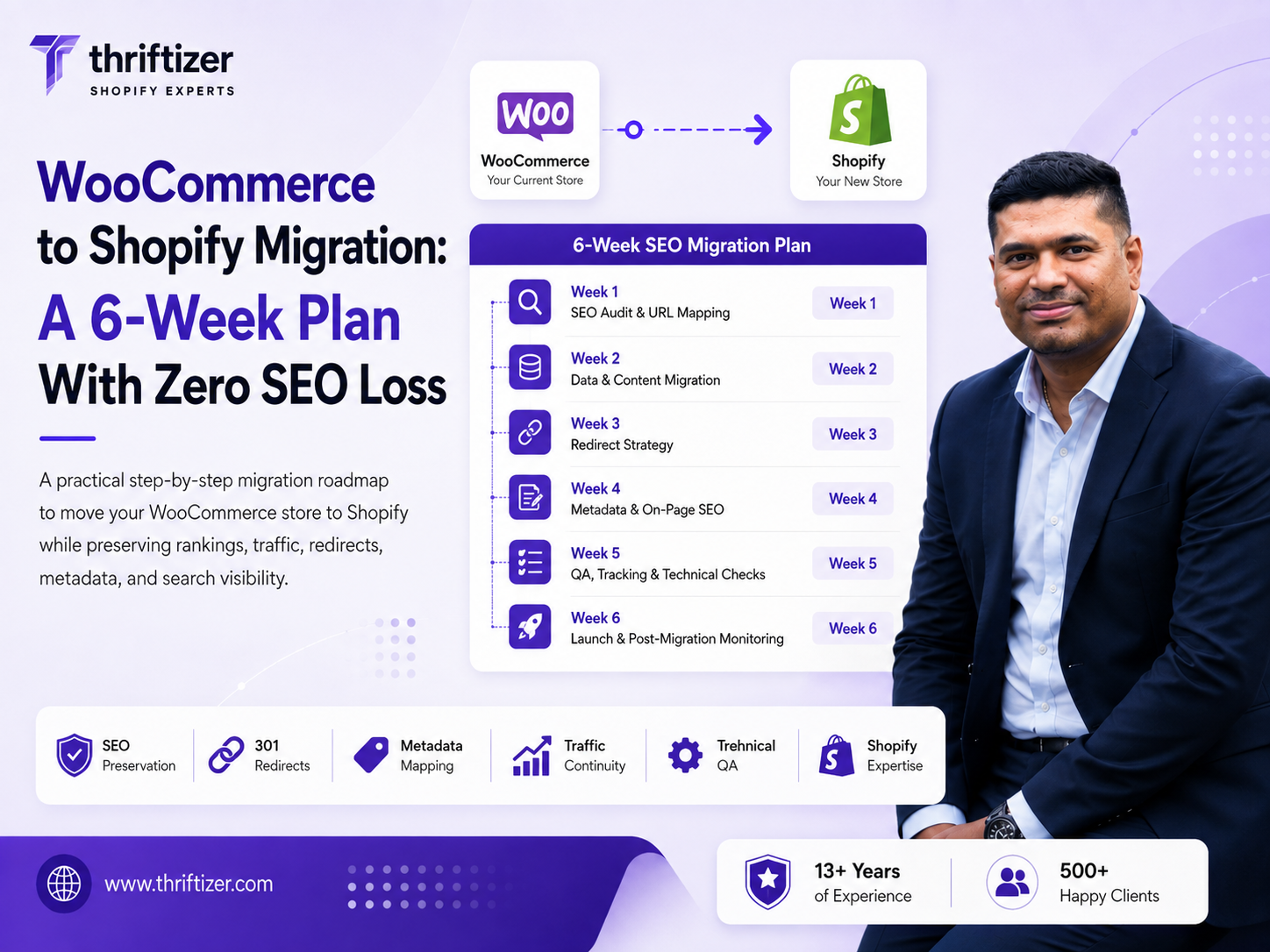
Six weeks is enough for a WooCommerce to Shopify migration without losing organic traffic, and the reason it works is boring: five of those weeks happen before anyone touches DNS. Traffic doesn't disappear because Shopify is worse at SEO than WordPress. It disappears because someone exported products on a Friday, launched on a Sunday, and built the redirect map afterwards from a crawl of a site that no longer existed.
Here's the plan we run, and where the guardrails sit in each week.
What a WooCommerce to Shopify migration actually breaks
In our experience there are four failure points, and they're always the same four.
- Redirect gaps and chains. WooCommerce URLs are structurally different from Shopify's. Every one needs a 301, and each hop you add costs you.
- Silent on-page rewrites. Your Woo store had Yoast titles like Product Name — Buy Online | Brand. The new theme generates Product Name – Brand. Multiply that across 900 product pages and you've changed the thing Google matched on.
- Content that didn't come across. WooCommerce category pages often carry 400 words of copy above or below the grid. Shopify collections launch with a heading and a product grid. That's a real content deletion, and it ranks like one.
- Lost review markup. Star ratings in the SERP came from a Woo plugin. If reviews don't get imported into a Shopify review app before launch, the stars vanish and click-through drops even where position holds.
None of that is exotic. All of it is preventable with a checklist and someone whose job it is to hold the checklist.
Week 1: freeze a baseline you can be judged against
Crawl the live Woo site with Screaming Frog, then pull 16 months of Search Console data by page and by query. You need both, because the crawl tells you what exists and Search Console tells you what matters.
Take a crawl shape we'd expect from a 1,200-SKU WooCommerce store: 4,318 indexable URLs. Of those, 1,106 are tag archives nobody links to, 612 are paginated /page/2/ variants, and 388 are attribute-filter URLs that got indexed because someone never blocked them. Strip those and you have 2,212 URLs that represent real pages. Now cross-reference clicks: maybe 1,180 of them earned at least one click in the last year, and around 214 account for the bulk of organic revenue.
That 214 is your hand-checked list. Every one gets a named destination, verified by a human, before launch. The other 2,000 get mapped by rule.
Freeze these numbers in a sheet on day one: organic sessions per landing page (last 90 days and same period last year), top 200 queries with average position, revenue per landing page, and mobile LCP from Search Console's Core Web Vitals report. If you don't have the before, you'll spend week 8 arguing about whether anything went wrong.
The guardrail
No product export begins until the baseline sheet exists and the client has seen it. This sounds bureaucratic. It's the single cheapest insurance in the project.
Week 2: map the data model, not just the products
Product CSV import is the easy half. What eats the week:
Variants. WooCommerce variable products with four attributes migrate badly, because standard Shopify plans cap you at three options per product and 100 variants. A shirt in 6 colours × 5 sizes × 4 sleeve lengths is 120 combinations and it will not import as one product. You either collapse an option into separate products, or you restructure the catalogue. Decide in week 2, not week 5.
Custom fields. Woo stores accumulate ACF fields: care instructions, fabric composition, warranty period, FSSAI licence number, net quantity. These become Shopify metafields, and the theme has to render them. Map them explicitly, field by field, with the destination metafield namespace written down.
Customers. Addresses and order history transfer. Passwords do not, because they're hashed. Everyone on your list will need to reset, so plan an email that explains this before they hit a login wall and assume they've been hacked.
Subscriptions. If you run WooCommerce Subscriptions, accept now that the payment tokens don't come with you. In India this is worse than elsewhere, because recurring card payments need a fresh e-mandate. Subscribers have to re-authorise. Budget for a win-back sequence and expect to lose a slice of the base. Anyone who tells you subscriptions migrate cleanly is selling something.
Reviews. Export from Woo, import into Judge.me or Loox or whichever app you land on, with dates preserved. Dates matter: a wall of reviews all stamped with launch day looks fake, and it is.
Week 3: build templates that keep on-page parity
Theme work runs in parallel, but the SEO job in week 3 is parity, not redesign. Before the new templates are signed off, check:
- Title tag and meta description templates produce the same pattern your Yoast setup did, then override manually on the top 214.
- One H1 per page, containing the same primary phrase it did on Woo. Some themes wrap the logo in an H1. Fix it.
- Category copy moved across. Shopify collections take a description field and most themes render it under the grid; if yours doesn't, add the block.
- Product JSON-LD includes price, availability, brand, SKU and aggregateRating once the review app is live. Plenty of themes ship incomplete product schema, and a few ship it twice.
- Internal links from body copy rewritten to the new paths. A 301 works, but a direct link works better and costs nothing.
- Breadcrumbs present and marked up.
One structural note: Shopify products live at /products/handle and also resolve at /collections/x/products/handle. The canonical points at the short form, which is correct, but check your theme actually emits it. And keep the Woo slug as the Shopify handle wherever you can. A 1:1 /product/kanjivaram-silk-saree-red → /products/kanjivaram-silk-saree-red map is the cheapest redirect you'll ever write.
Week 4: the redirect map is the whole migration
Rules first, exceptions second. The common WooCommerce patterns:
- /product/slug/ → /products/slug
- /product-category/parent/child/ → /collections/child
- /shop/ → /collections/all or your main landing collection
- /2021/08/post-title/ → /blogs/news/post-title
- /about-us/ → /pages/about-us
- Old cart, checkout, my-account and wishlist paths → their Shopify equivalents, so bookmarked links don't 404
Shopify takes bulk redirects as a CSV, and they're 301s. Two limits to plan around. There's no regex or wildcard matching in the native tool, so patterns like paginated archives and attribute filters need either a generated row per URL or logic in the 404 template. And redirects ignore query strings, which means old campaign URLs still land but ?orderby=price variants collapse to the base path. Usually fine. Occasionally not, if you were unlucky enough to have those indexed.
Test the map against the crawl file, not against your intentions. We generate the CSV, run the source column through a checker pointed at the staging URL, and look for anything returning 404, 302 or a chain of two or more hops. We get a handful wrong on the first pass, every time, usually where a Woo category was renamed years ago and had its own redirect sitting in a plugin nobody remembered.
Week 4 is also integrations week: Razorpay or PayU, COD with an order-verification flow, Shiprocket or Delhivery, GST-compliant invoicing, WhatsApp notifications. Get payments into test mode and put a real ₹1 order through with a real card before you go anywhere near launch. If you'd rather not resource this internally, this is the stage where teams usually bring in a Shopify developer for four weeks rather than six months.
Week 5: staging QA, and index bloat you get to fix for free
Shopify generates sitemap.xml for you and you can't edit it, which is mostly a mercy. What you can edit is robots.txt.liquid, so use week 5 to block the junk you were never able to control on Woo: internal search results, filtered variants you don't want crawled, tagged collection paths.
Then walk the funnel on a phone. Add to cart, apply a discount code, choose COD, check the GST breakup on the invoice, cancel, refund. Test on a slow connection, not office wifi.
Speed is where most Woo migrations pick up a genuine win, and it's worth measuring properly rather than assuming. A Woo store on mid-tier shared hosting with a page builder and 14 plugins commonly sits at 3.5–4s mobile LCP. A clean Shopify build with images served through the CDN and app scripts kept off the critical path should land comfortably under 2s. It will not do that on its own if you install nine apps in week 5 and let each one inject a script into every page. We run a speed pass as part of the build, and SwiftStore is what we use to keep watching the score after launch, because scores drift the moment someone adds a popup app.
Week 6: cutover, in order
Drop your DNS TTL to 300 seconds two days ahead. Then, on the day:
- Freeze the Woo admin. No new orders, no edits.
- Run the final delta import: orders and customers created since the last sync.
- Import the redirect CSV to Shopify.
- Point the A record and CNAME at Shopify, remove the storefront password.
- Spot-check 30 redirects live, including 10 from the top-214 list.
- Verify the domain in Search Console, submit the new sitemap, and confirm the old sitemap is gone rather than serving stale URLs.
- Check analytics and pixels are firing on a real purchase, not just in tag preview.
- Keep the WordPress install running on a non-indexed subdomain for 90 days. It costs almost nothing and it's saved us twice when a content block turned out to exist nowhere else.
Don't change your domain in the same week you change platform. If a rebrand is on the roadmap, do the platform move, wait six weeks, then move the domain. Two variables, two windows.
The four weeks after launch, which nobody budgets for
Rankings wobble. Expect movement for two to four weeks while Google recrawls and reprocesses the 301s, and expect Search Console to show a spike in crawled-not-indexed and a temporary rise in 404s. That's the redirect map being discovered, not a failure, as long as the 404 report stays boring.
What we watch weekly against the frozen baseline: 404 report, organic clicks on the top 214 pages, average position for the top 200 queries, Core Web Vitals status, and revenue per landing page. If a page that ranked third is now on page two after three weeks, open it and compare it line by line with the WordPress version still sitting on the subdomain. Nine times out of ten something is missing from the copy.
When we tell people not to migrate
If WooCommerce is bolted onto a 900-post content site and only sells 15 SKUs, moving everything to Shopify is the wrong trade. Keep WordPress for content, put the store on Shopify, and link the two. If you're running LearnDash, a membership plugin, or booking logic with real business rules in it, Shopify will need apps or custom app work to replace them and the total cost stops being obviously lower. And if your current pain is a 4.5s LCP caused by a page builder and unoptimised images, a hosting move and a theme rebuild on Woo is cheaper than replatforming. We've said so and lost the project. Fine.
Where Shopify does win, consistently: checkout conversion, festive-season traffic spikes that used to take the site down every October, PCI and payment gateway maintenance you no longer own, and app-store solutions for COD verification and GST invoicing that would be custom plugin work otherwise. The full scope of what we cover sits on our migration page, including the parts nobody enjoys quoting.
If you want a read on your own risk before committing, send us the Search Console export and a crawl of your Woo site. We'll tell you which URLs carry your revenue and where the redirect map is going to get complicated. That's a free audit, and it takes us a couple of days.