

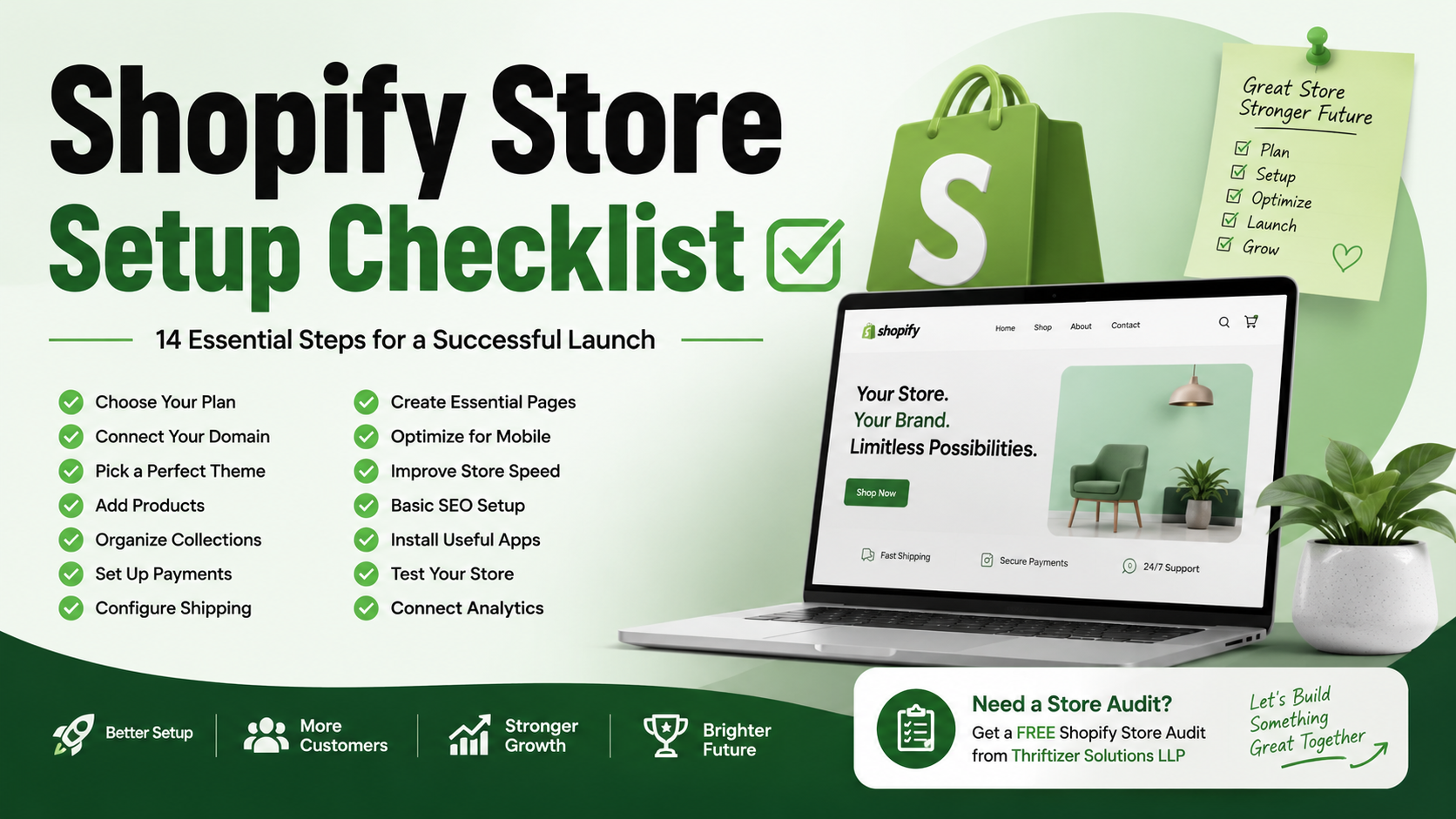
Starting a Shopify store is exciting, but it's easy to overlook important details that can affect your customer experience and sales. A well-planned setup helps you launch with confidence, avoid common mistakes, and create a store that's ready to attract visitors, convert customers, and grow your business from day one.
Why a Shopify Store Setup Checklist Matters
Building a Shopify store isn't just about picking a theme and adding products. Every small detail—from your navigation to payment settings—plays a role in how customers experience your brand.
Many new store owners launch too early, only to discover broken links, confusing menus, slow-loading pages, or payment issues after customers start visiting. Taking the time to review a complete setup checklist can save hours of troubleshooting later.
Whether you're launching your first online business or moving an existing brand to Shopify, following a structured process makes everything smoother.
1. Choose the Right Shopify Plan
Before anything else, select a Shopify plan that fits your business goals. If you're just getting started, the Basic plan is often enough. As your business grows, you can always upgrade to access more advanced features.
Think about your expected traffic, team size, and selling channels before deciding.
2. Connect Your Custom Domain
Your domain is one of the first things customers notice.
Instead of using a default Shopify URL, connect a custom domain that matches your brand. It instantly makes your store look more professional and easier to remember.
Don't forget to enable SSL, which Shopify provides automatically, so visitors can browse and shop securely.
3. Pick a Theme That Matches Your Brand
Your theme shapes the first impression customers get when they visit your store.
Choose one that's clean, mobile-friendly, and easy to navigate. Avoid filling every section with banners or animations. A simple design often performs better because it helps shoppers focus on your products.
Customize your colors, fonts, and homepage layout so everything feels consistent with your brand identity.
4. Add High-Quality Product Listings
Your products deserve more than a photo and a price.
For each product, include:
Clear product titles
Helpful descriptions
Multiple images
Product variants
Accurate pricing
SKU details
Shipping information
Write descriptions that answer common customer questions instead of simply listing features.
5. Organize Products into Collections
Collections make shopping easier.
Instead of asking customers to browse dozens of products, group them into logical categories like:
New Arrivals
Best Sellers
Summer Collection
Men's Clothing
Home Essentials
A well-organized catalog helps customers find what they need faster.
6. Set Up Payment Methods
Nothing is more frustrating than reaching checkout only to find limited payment options.
Configure your preferred payment gateways and test each one before launch.
Offer payment methods your audience is comfortable using, including credit cards, digital wallets, and local payment options when available.
7. Configure Shipping Settings
Shipping can quickly become confusing if it's not planned properly.
Set:
Shipping zones
Shipping rates
Delivery estimates
Free shipping rules
Local delivery or pickup options
Double-check that customers only see shipping methods available for their location.
8. Create Essential Store Pages
Every professional Shopify store should include pages that answer common customer questions.
At a minimum, create:
About Us
Contact Us
Shipping Policy
Returns & Refund Policy
Privacy Policy
Terms & Conditions
FAQ
These pages help build trust and reduce support requests.
9. Optimize for Mobile
Most online shoppers browse on their phones.
Review every page on a mobile device before launching. Make sure text is readable, buttons are easy to tap, and images display correctly.
A great desktop experience means very little if your mobile store feels difficult to use.
10. Improve Your Store's Speed
A slow website can drive visitors away before they even see your products.
Compress images, remove unnecessary apps, and keep your theme lightweight. Faster pages improve user experience and can also support better search visibility.
Test your store regularly and fix anything that slows it down.
11. Set Up Basic SEO
A beautiful store won't help much if people can't find it.
Before launching, update:
Page titles
Meta descriptions
Product URLs
Image alt text
Collection descriptions
Create a clear site structure so search engines can understand your content.
Small SEO improvements made early often pay off over time.
12. Install Only the Apps You Need
Shopify offers thousands of apps, but installing too many can slow your store and make management more complicated.
Choose apps that genuinely improve your workflow or customer experience, such as email marketing, reviews, analytics, or customer support.
Review installed apps every few months and remove anything you no longer use.
13. Test the Complete Shopping Experience
Before announcing your launch, go through the buying process exactly like a customer would.
Check that:
Products add to the cart correctly
Discount codes work
Checkout completes successfully
Confirmation emails are sent
Payment is processed properly
Ask a friend or colleague to test your store as well. Fresh eyes often catch issues you've missed.
14. Connect Analytics and Tracking
Understanding your visitors is just as important as attracting them.
Connect tools like Google Analytics and Google Search Console so you can monitor traffic, user behavior, and search performance from day one.
These insights help you make smarter decisions as your business grows.
Common Shopify Setup Mistakes to Avoid
Even experienced store owners can miss a few things before launch.
Watch out for:
Publishing products with placeholder images
Forgetting to test checkout
Missing policy pages
Using oversized images
Leaving sample content in the theme
Broken navigation links
Installing too many apps
A quick final review can prevent many of these problems.
Final Thoughts
Launching a Shopify store isn't about checking boxes as quickly as possible. It's about creating an experience that feels smooth, trustworthy, and enjoyable for every visitor.
By following this Shopify store setup checklist, you'll avoid many of the common launch-day surprises and give your business a stronger foundation for long-term growth.
If you'd like a second opinion before you go live, Thriftizer Solutions LLP offers a Free Shopify Store Audit. We'll review your store's setup, performance, user experience, SEO basics, and overall readiness, then share practical recommendations to help you launch with confidence and improve your chances of turning visitors into customers.