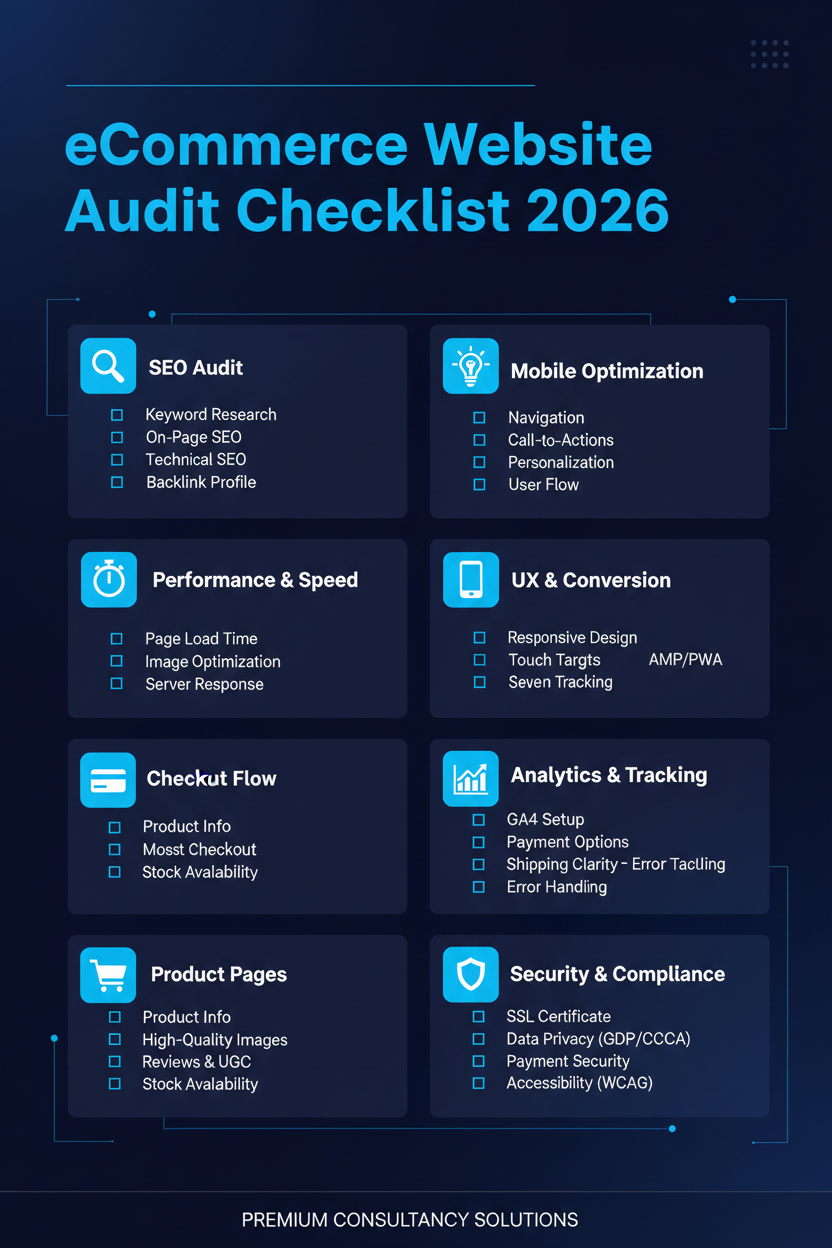
eCommerce Website Audit Checklist for 2026
Every online store eventually hits a plateau. Traffic comes in, but sales don't grow the way they should. Ad costs climb, but conversions stay flat. When that happens, most store owners jump straight to adding more marketing spend, when the real problem is often sitting quietly on the store itself.
That's what an eCommerce website audit is for. It's a systematic look at every part of your store, performance, SEO, UX, security, and conversion paths — so you know exactly what's holding you back before you spend another rupee trying to fix it with guesswork.
Here's the complete checklist we use at Thriftizer when auditing eCommerce stores in 2026, broken down into the areas that matter most.
1. Site Speed & Core Web Vitals
Speed is still one of the biggest conversion killers. A slow-loading product page loses customers before they even see what you're selling.
Check:
- Largest Contentful Paint (LCP) — how fast your main content loads
- Interaction to Next Paint (INP) — how quickly your site responds to clicks and taps
- Cumulative Layout Shift (CLS) — whether elements jump around while loading
- Image compression and use of modern formats like WebP or AVIF
- Unused apps and scripts that are silently slowing things down
- Hosting capacity, especially if you're planning to scale traffic
Tools like Google PageSpeed Insights or Lighthouse give you a quick technical read on all of this.
2. Mobile Experience
The majority of eCommerce traffic today comes from mobile, so a store that isn't genuinely mobile-first is leaving money on the table.
Check:
- Font sizes and tap targets are comfortable on small screens
- Navigation collapses cleanly into a mobile menu
- Checkout works smoothly without zooming or misclicks
- Images and videos load quickly on mobile networks
- Forms are easy to fill with a thumb, not a mouse
3. Crawlability & Indexation
If search engines can't crawl and index your store properly, none of your other SEO work matters.
Check:
- Robots.txt isn't accidentally blocking important pages
- XML sitemap is present, accurate, and submitted to Google Search Console
- Index Coverage report shows no unexpected exclusions
- No orphan pages that aren't linked from anywhere on the site
- Crawl stats show no sudden spikes or drops
4. On-Page SEO & Content
Product and category pages are your storefront in search results — they need to be optimized like real assets, not afterthoughts.
Check:
- Title tags and meta descriptions are unique, accurate, and keyword-relevant
- Category pages have their own optimized content, not just product grids
- Product pages use structured data (schema markup) for rich results
- Alt text is present on all product images
- Internal linking connects blog content to relevant product and category pages
- No thin or duplicate content across similar product variants
5. Checkout & Conversion Path
This is where most revenue quietly leaks away. Even small friction points here can cost significant sales.
Check:
- Number of steps in checkout — fewer is almost always better
- Guest checkout is available (not just forced account creation)
- Shipping costs and delivery timelines are shown early, not at the last step
- Multiple payment options are available and working correctly
- Cart and checkout pages load fast and don't error out on mobile
- Abandoned cart tracking and recovery flows are actually set up
6. Site Security & Compliance
Trust signals directly affect conversions — shoppers won't complete a purchase if a site feels unsafe.
Check:
- HTTPS is active sitewide, not just on the checkout page
- Payment gateway is PCI-DSS compliant
- Apps, themes, and plugins are up to date
- Privacy policy, terms of service, and refund policy pages exist and are accurate
- GDPR or applicable regional data compliance is addressed if you sell internationally
7. Broken Links & Technical Errors
Small errors compound over time, especially as product catalogs grow and change.
Check:
- 404 pages from deleted or moved products
- Broken internal and external links
- Redirect chains that slow down page loads
- Missing or broken product images
- JavaScript or CSS errors affecting page rendering
8. App & Theme Bloat
More apps don't mean a better store — often, they mean a slower one.
Check:
- Which installed apps are actually being used
- Whether any apps conflict with each other or the theme
- Theme code for unused or redundant scripts
- Page load impact of each major app (analytics, reviews, upsells, etc.)
9. Accessibility
Beyond being good practice, accessibility increasingly affects both legal compliance and search visibility.
Check:
- Sufficient color contrast between text and background
- Keyboard navigation works throughout the site, including checkout
- Form fields have proper labels
- Videos have captions where relevant
- Alt text is present and descriptive, not just filler
10. Marketing & Tracking Setup
An otherwise perfect store won't grow if your data pipeline is broken.
Check:
- Google Analytics 4 ecommerce tracking is correctly configured
- Meta and Google Ads pixels are firing accurately
- Email marketing automations (welcome, abandoned cart, post-purchase) are active and tested
- UTM tracking is consistent across campaigns
- Conversion values match actual order data
Why This Matters More in 2026
Search is changing. AI-powered search tools like ChatGPT, Perplexity, and Google's AI Overviews are increasingly influencing how customers discover products — which means technical health, structured data, and content quality matter more than ever, not just for rankings but for whether your store even gets surfaced by these tools at all.
At the same time, customer expectations around speed and mobile experience have only gotten stricter. What passed as "good enough" two years ago often isn't anymore.
Turning This Checklist Into Action
Running through this checklist manually takes time, and it's easy to miss things without the right tools or experience. That's exactly why a professional audit is worth it — not just to find the issues, but to prioritize them by actual revenue impact, so you know what to fix first.
At Thriftizer, we've applied frameworks like this across 5,000+ Shopify stores over 13+ years, helping brands turn audit findings into real, measurable growth.
If you'd rather skip the manual work, get a free store audit from Thriftizer and get a prioritized action plan built specifically for your store.
Latest News
Also Read.